Lead generation for a web studio
Find the businesses with no website, and write to them first
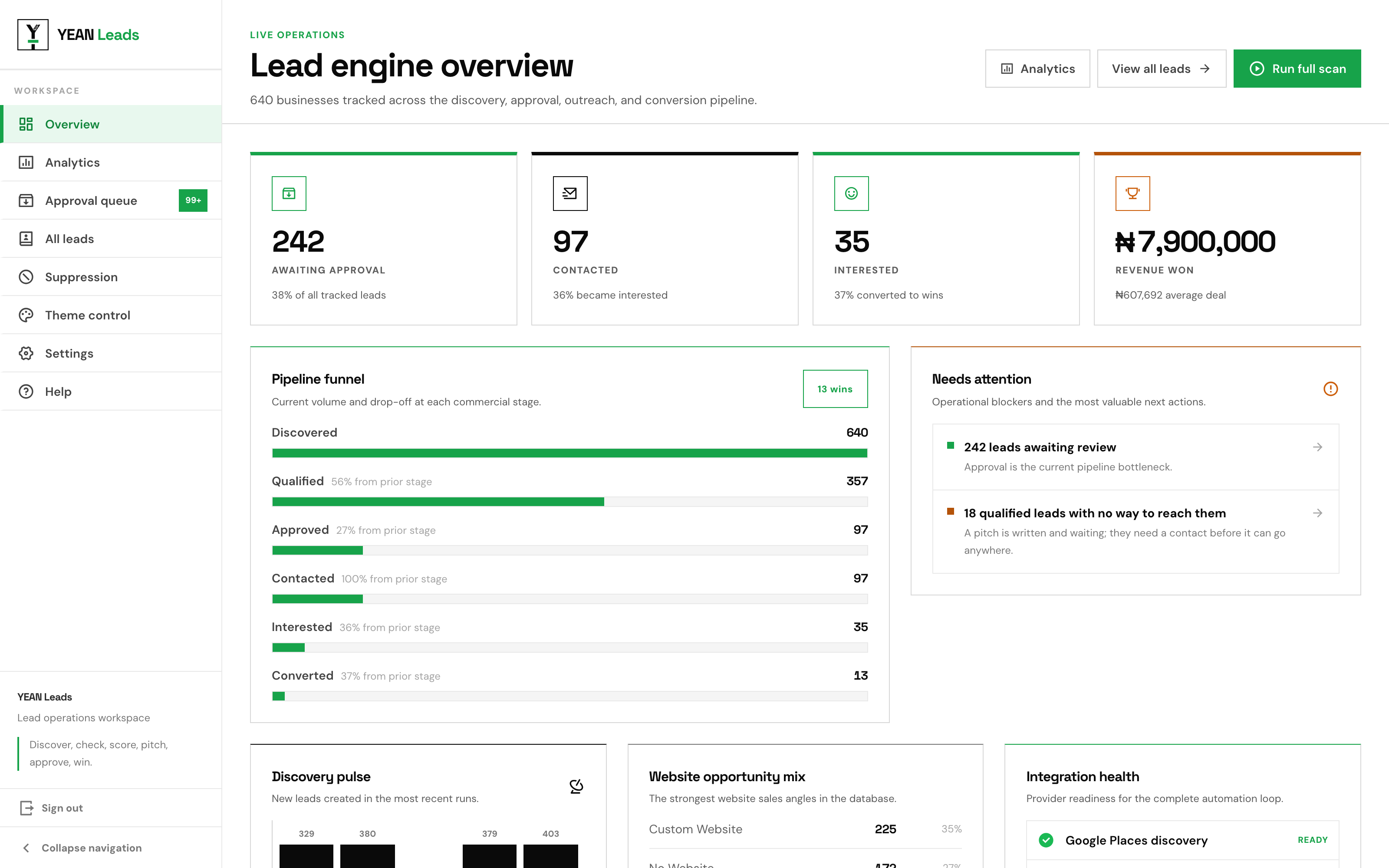
YEAN Leads scans a city, opens what each business actually has online, and scores how badly they need a site. It drafts the message too. Nothing goes out until you've read it and pressed approve.
Google Places for discovery. Your own AI key for the writing. Gmail, Zoho or Resend for sending.
Why this exists
Cold outreach fails on volume or on quality
Send two hundred identical emails and nobody answers. Write two hundred good ones by hand and you've lost a fortnight. Neither one is a business.
The writing is the cheap part. Knowing who is worth writing to is what costs you. A restaurant with a fast, working site has no use for you, and from a page of search results it looks exactly like the one whose site has been down since March.
So the scan does the looking. It opens every site it finds and checks whether the domain resolves, whether the certificate is valid, how long the page takes to answer, whether it works on a phone, and whether its own internal links are broken. What comes back is a list of businesses with a problem you can fix, and the evidence for saying so.
735
businesses found in a single scan of two cities
356
of them new, the rest already on file and skipped
18
searches, finished in five and a half minutes
0
messages sent without a person approving them
How it works
Six steps, and you only do the last one
A run goes from an empty database to a queue of messages waiting for you. If it stops halfway, nothing it found is lost: you can resume the searches that failed, or process the leads it already has.
01
Discover
Google Places, by city and category. You can also paste a list of businesses you found yourself, or point it at a directory to crawl. A business that turns up twice is deduplicated into one lead.
02
Check the website
DNS, certificate, HTTP status, redirect loops, response time, mobile viewport, broken internal links, Shopify signatures, parking pages. A Linktree in the Google listing doesn't mean there's no website, so the checker follows it and looks.
03
Find the contacts
Email address, mobile number and Instagram handle, read off the business's own pages. Every value is stored with the page it came from and the date it was collected, which is what the NDPA asks you to keep.
04
Score
Weights you control. No website adds 40. A site that's down adds 40. Social media only adds 30, and a business that opened recently adds 25. Anything over your threshold goes to the queue.
05
Write
Your own AI key writes each message from what the check actually found. An email reads like an email. A WhatsApp message is shorter, and it doesn't sign off like a letter.
06
Approve
You read it, change what you want, and decide. Approving an email lead creates a Gmail draft you can still open before it goes out. Rejecting one takes it out of the queue for good.
The approval gate
Nothing is sent without you
Every message waits here with its evidence beside it: why the business scored what it did, what's wrong with its site, and which routes you have into it. Change a word or rewrite the whole thing.
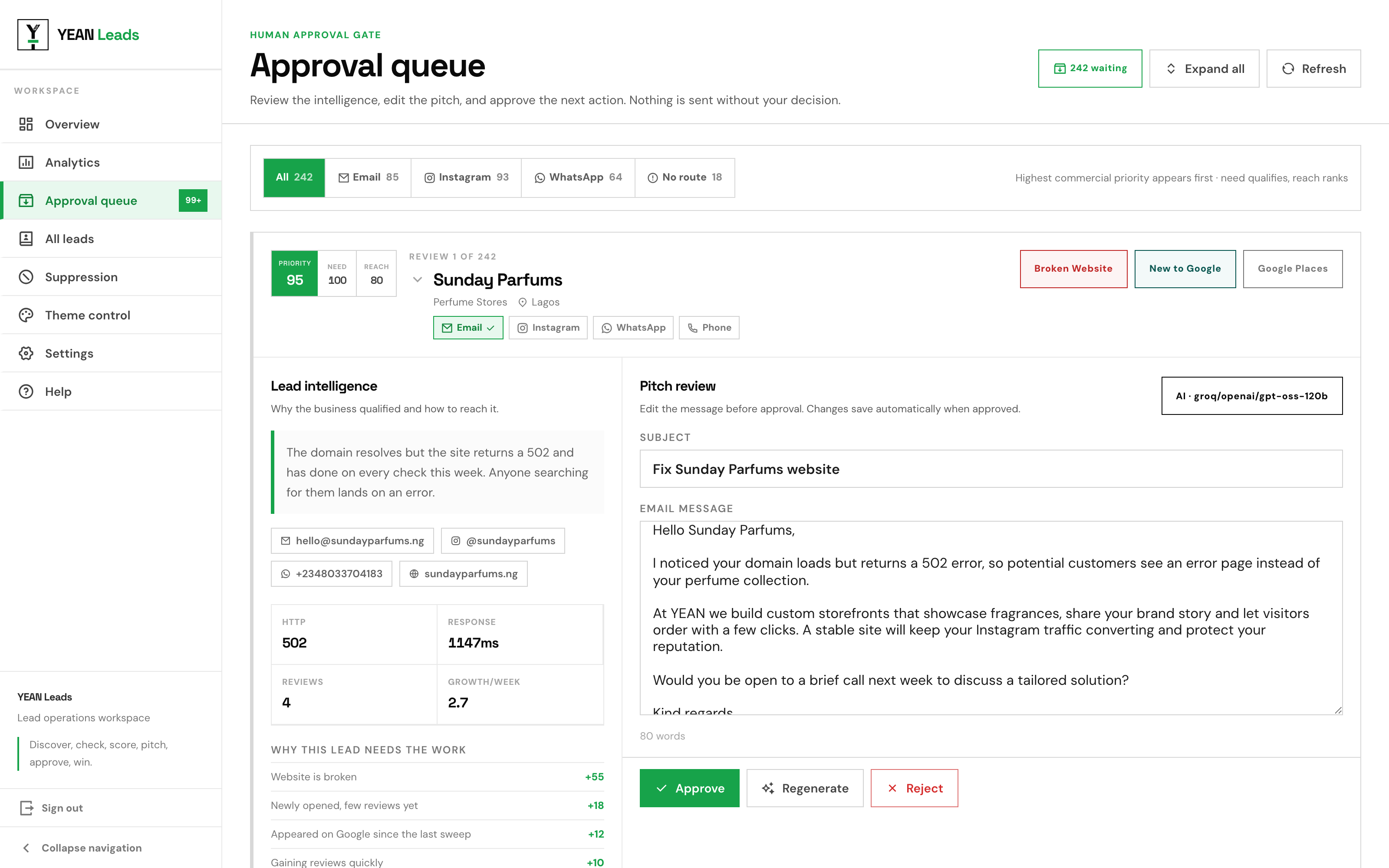
Approving an email lead creates a real Gmail draft, so you can still open it in your mailbox before it goes. Instagram and WhatsApp leads hand you the message and the profile, and you send it yourself, because neither platform lets software do that for you and pretending otherwise would get the account banned.
A lead leaves the queue when it's been sent, marked as contacted, or rejected. Not when you approved it. An approved message that hasn't gone anywhere is unfinished work, and it stays in front of you until it isn't.
One follow-up, then silence
A single follow-up goes out after the number of days you set, and only if there was no reply. There is no second one, and no way to configure a second one.
A daily cap you choose
Sending stops at your limit for the day. The queue tells you how much is left before you spend it, rather than refusing the send you had already decided to make.
A suppression list that holds
An address, domain, phone number or handle on the list is never stored again, not merely skipped at send time. Anyone who asks to be left alone is opted out across the whole database at once.
Every lead keeps its evidence
Filter it the way you actually work
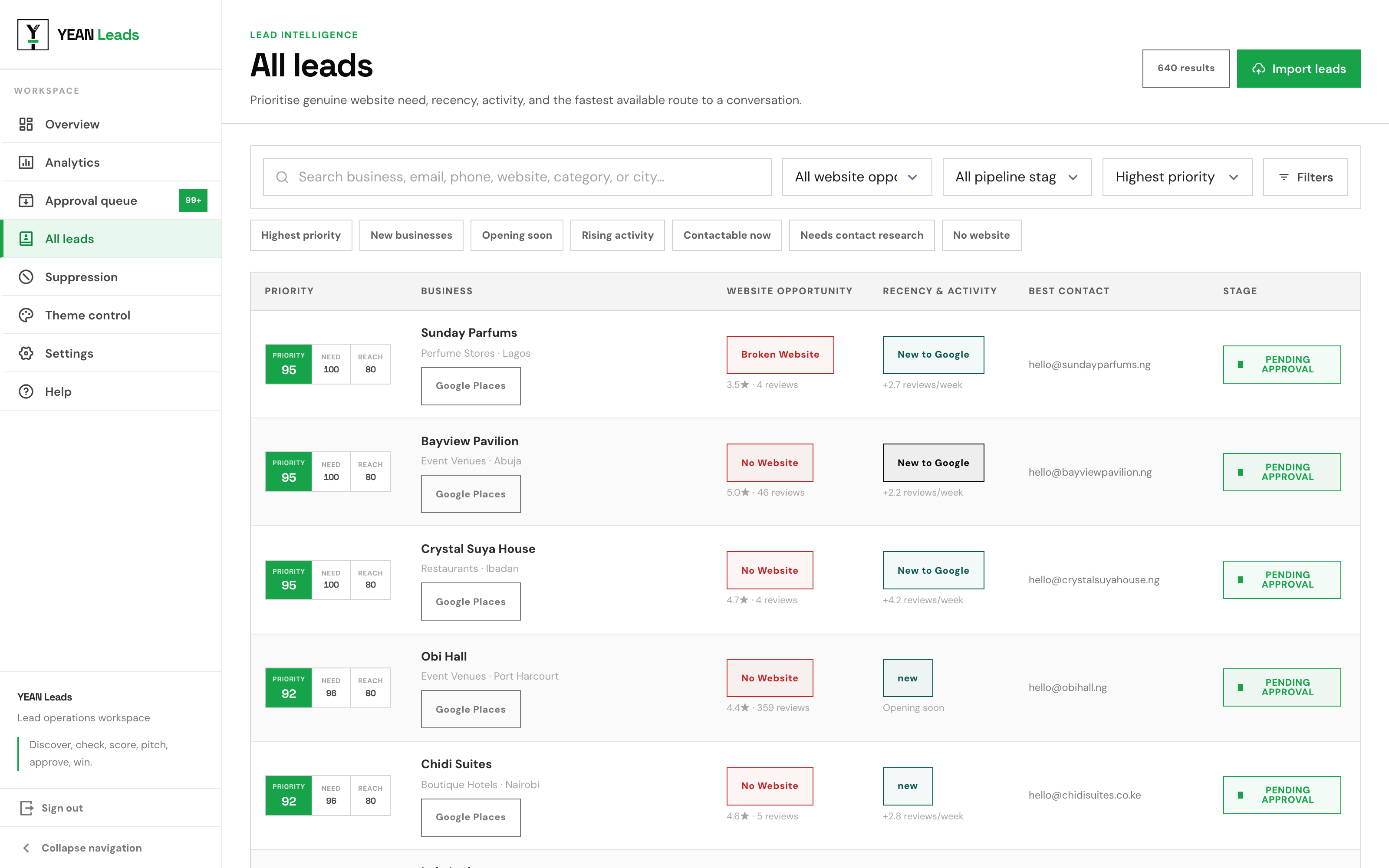
By city, category, what kind of website they have, how they can be reached, how high they scored, how recently they appeared on Google, how fast their reviews are growing. A business that opened last month and has no site is a different sales conversation from one that has traded for ten years behind a broken one.
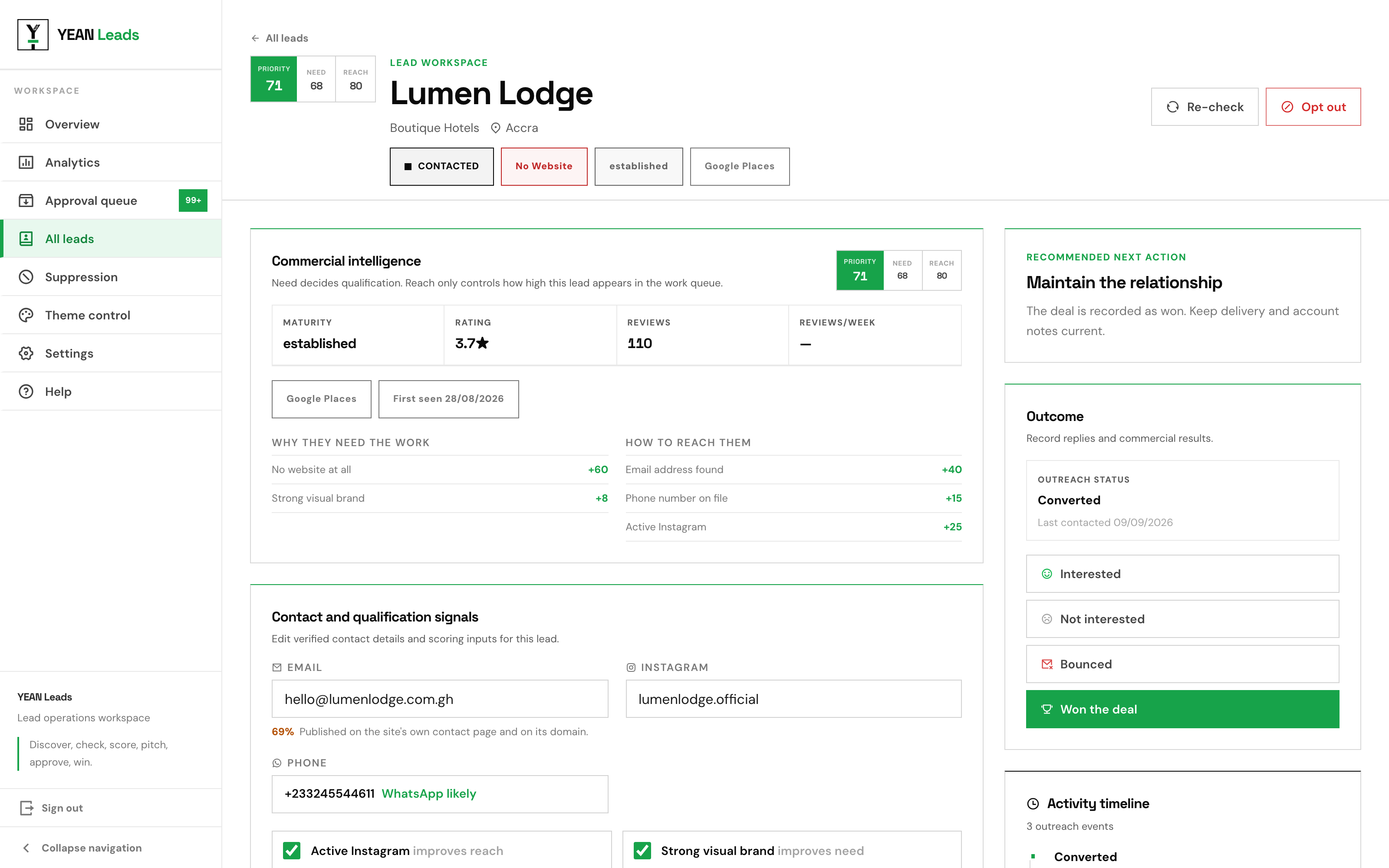
Open any lead and you get the audit behind its score, the reason each contact was accepted or rejected, and the page every email address and phone number came from.
Worth knowing before you start
What it doesn't do
Four things it won't do for you, so you can decide whether that matters before you've built a workflow on top of it.
It doesn't read your inbox
Replies arrive in your own mailbox and you record the outcome on the lead by hand. There's no inbox integration, so a bounce stays invisible until you mark it as one. When you do, the address is retired and the lead is re-routed to whatever other contact it has.
It doesn't send on a schedule
Discovery can run on a cron every morning. Sending never does. Every message that leaves is one a person pressed a button for, which is slower on purpose.
It isn't a mail server
Gmail and Resend both send over HTTPS and work on any host. Plain SMTP needs outbound mail ports open, and Railway allows those on the Pro plan only, so on Hobby you'll want one of the other two.
The AI is optional
Without a key you get the built-in templates. They're accurate and a little generic, and any lead using one says so on its card so you can rewrite it later.
Setting it up
Targets first, keys whenever you like
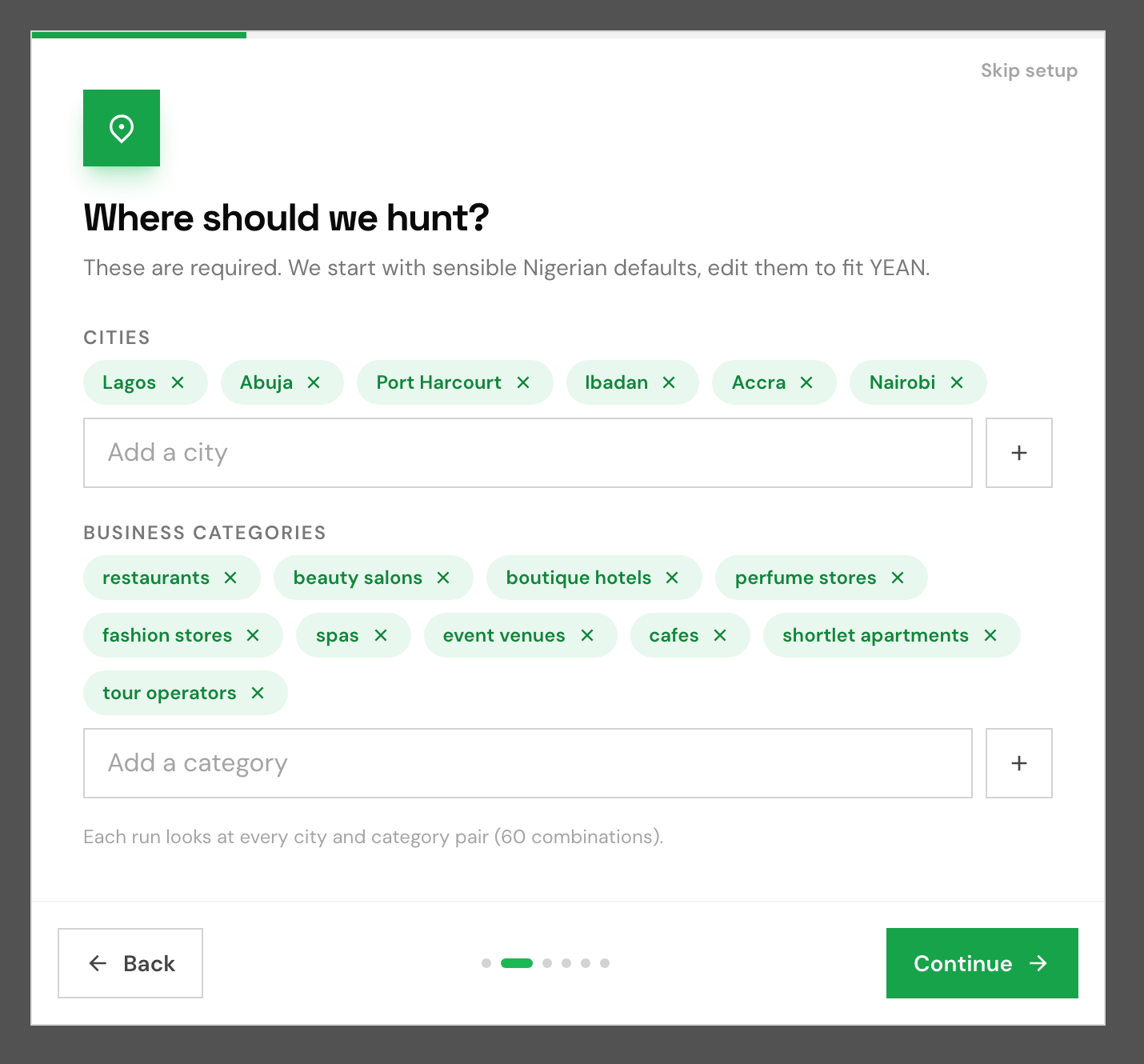
The first time you open it, a short wizard asks which cities and categories you want. That's the only part you have to answer. Everything else can be skipped and filled in from Settings later, and the tool runs without any of it, just with fewer sources and template messages.
Each provider has a Test button that makes a real request and reports what came back, so you find out a key is wrong while you're looking at the form rather than three hundred leads into a scan.
Open the workspace
The queue is where the work is. Everything else on this page exists to fill it.